
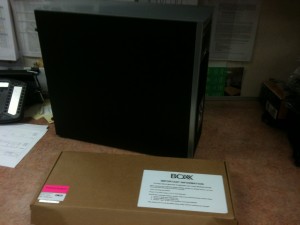
 After some leg work decided to give BOXX Technology a try to help our office with rendering. They supposedly work to research software to develop hardware accordingly. I say supposedly because after much correspondence I get the feeling that much like any other retailer they just try and push sales albeit of pretty kick butt hardware.
Shipping was fast and well packaged. The equipment was branded but all in all very high quality components and the software was setup in a clean and simple interface. Again my biggest gripe was that I needed to setup a render farm and they pushed hardware but did not seem very helpful in at the very least suggesting software setup for these machines, in our case Rhino and Vray. I found that I had to do a lot of leg work to figure out how to get this up and running which to be honest I do love to geek out here and there but if I am going to pay a premium to a boutique retailer I need this to be just near flawless otherwise what’s the point.
The desktop came in an extremely compact case and runs almost completely silent. The overclocked cpu and beefy graphics card seems to handle Rhino quite well. So far the only issue we have run into is RAM underun the other day while running Photoshop. The 16gb we had works great for all the CAD applications but was a little short when it came to multimedia applications, an unfortunate lack of foresight on our part but definitely one of the aspects we brought up while we were ordering the hardware.
Along with the two render boxes we got a 1U side by side server case which is a about 27″ deep that fits in a 4 post rack at almost the max adjustment. Initial setup was easy, Windows was pre-installed and merely needed login and password info filled out. From here is where we were hoping the BOXX would lend more of a hand in guiding us in the best way to setup our rendering work flow. Unfortunately they merely gave us the general run around and forwarded our requests to the software vendors. Not exactly what I was expecting from a company that claims to cater to design professionals that just want to get things running projects as soon as possible. So needless to say we finally figured that the distributed rendering program that came with Rhino was how we wanted to proceed. After installing the distributed rendering program we were up and running slaving them to our primary rendering machine within no time. The machines are extremely loud when the computers are started and during rendering, but luckily will be in our server room. They do require fairly regular restarts and the distributed rendering program hangs quite a bit. When it does work though it provides us with an additional 24 dedicated cores to aid in rendering. They hook into the primary rendering machine a good bit faster than when we tied into working desktops around the office. The next big step is to fully integrate it into our domain and maybe find some additional tasks for them when not rendering.
All in all both the desktop and the render boxes ended up working well in our office work flow. Maybe a little more help from BOXX Technologies would have made things easier but their hardware setup is definitely top notch and looks to work well with the CAD software we are throwing at it. So the promise of the world’s fastest workstations may be true just don’t expect to be speeding off right outta the gate unless you already know the setup you want to run.